
Note: These steps regarding Editing Users are performed in the OnStation Portal. For information on how to log into the portal see article: How to Log In to the Portal
See our User Permission Guide to learn more about user roles and permissions.
As an Administrator or User Manager for your organization you have the ability to edit a user's name, phone number, and job title.
- Log into the OnStation Portal.
- You should be defaulted to the Team tab.
- Find the user you would like to edit and click on the person icon to the far right
 .
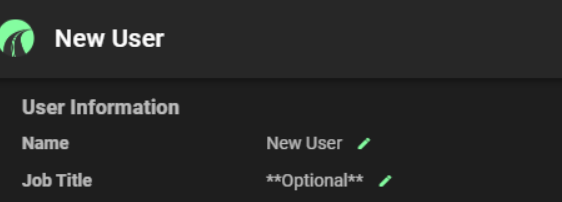
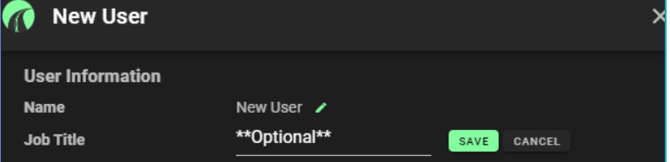
. - Click the Pen icon
 next to the field you want to edit.
 - Click SAVE
 when edits have been completed or CANCEL
 as needed

For help editing a user's email please Contact OnStation Support.
Your User Account
Users can edit their own Name, Job Title, Phone Number, and Email.
But wait! What about editing your own account? "I don't see myself on the list" you exclaim! It's ok, you're there. We wouldn't exclude you. Click on your own name at the top left-corner of the portal. Go on, do it. Edit away at your own profile. See video below. We must caution, with power comes great responsibility so use this power wisely.