
Bulk Sharing
- Open Project
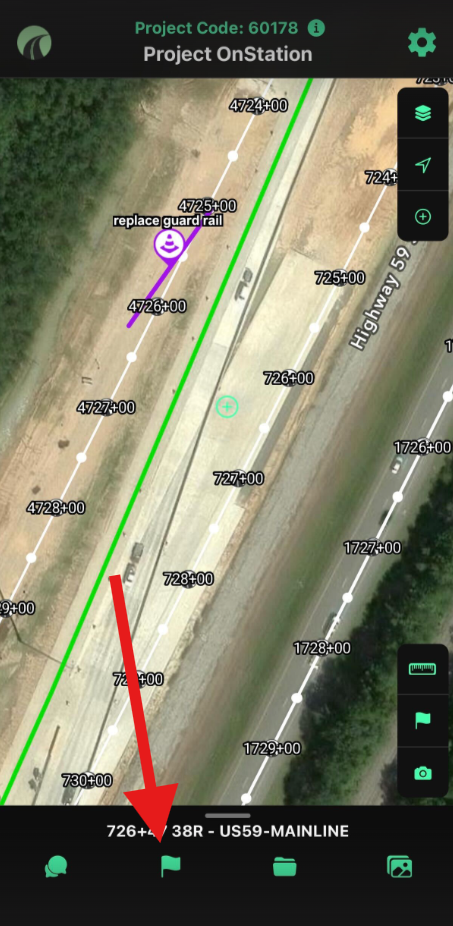
- Navigate and tap on "Flags" Menu at bottom center of app
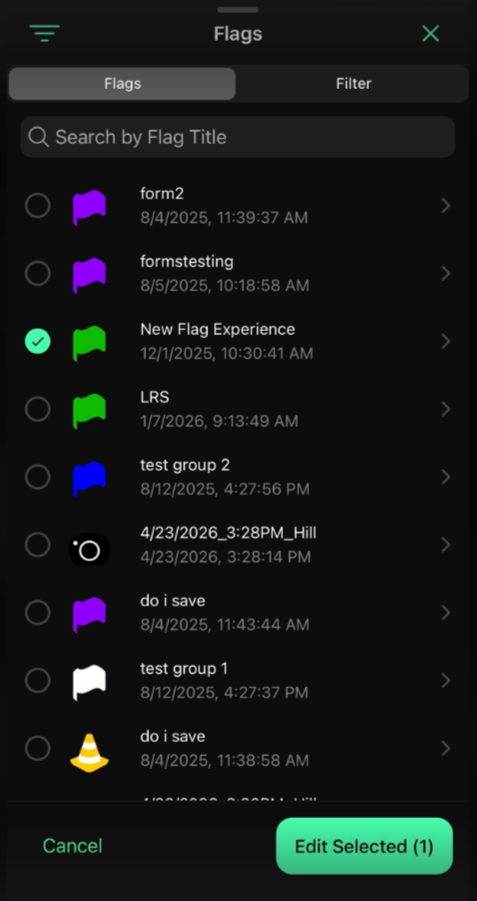
- Tap the "Select Flags" menu at bottom right corner of the screen
- Tap the circle to the left of the flags that you want to bulk update. See sample below
- Tap Edit Selected
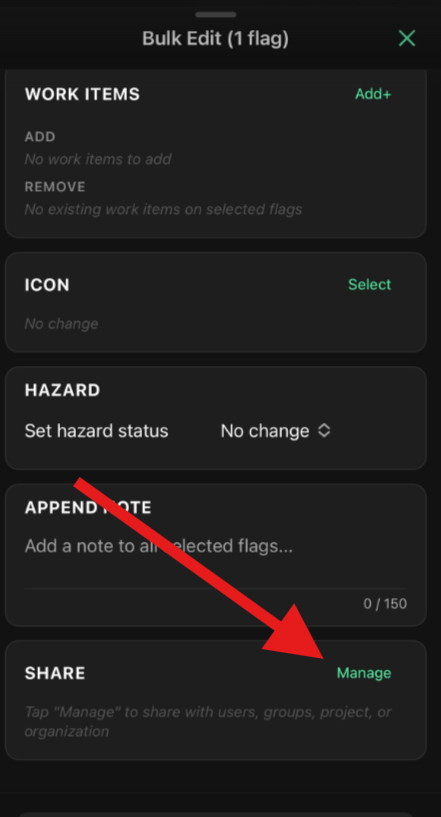
- Scroll to Share and tap Manage
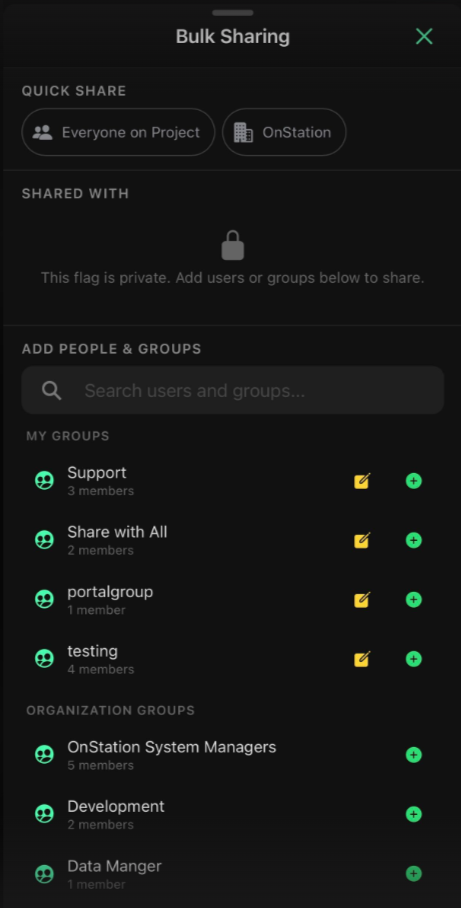
- Next select organizations, users, and/groups you wish to share with
Fore more information on share options see article: Share Flags with others
Bulk UnSharing
- Follow steps 1-6 above
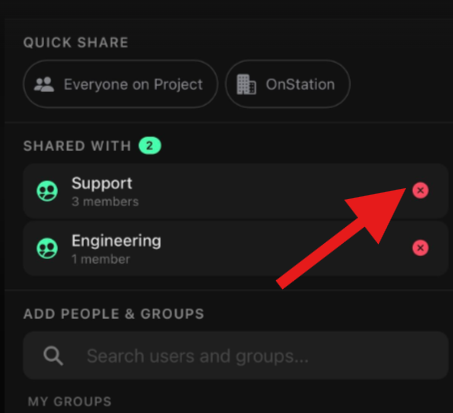
- Tap the red X next to the entities you wish to un-share with
Have Questions? Need help? Call or text our Support team at (216) 503-8554, or reach out to us online here.